Resources
Everything coaches, team managers, scorers, players and families need for the season — in one place.
Coaching with the Sharks
New to coaching? You don't need experience to start — just enthusiasm and a Working with Children Check. Basketball WA's free Community Coach course gets you going.
- Complete Basketball WA Community Coach Accreditation (free, online)
- Hold a current Working with Children Check, unless a parent or guardian of a player in the team
- Keep sessions fun, active and inclusive — everyone gets court time
- Follow the club's coaching philosophy and code of conduct
- No zone defence for U10, U12 and U14 (see junior rules)
- The club provides basketballs and a coaches bag; coaches supply their own training aids such as cones and shooting spots
BWA coach education Rotation planning tool No-zone rule (U10/U12/U14) Junior rules & by-laws
Sample training session (60 min)
- 10 minWarm-up & ball handling
- 15 minSkill focus (dribble / pass / shoot)
- 10 minDefence fundamentals
- 10 minOffence / team concepts
- 15 minScrimmage & cool-down
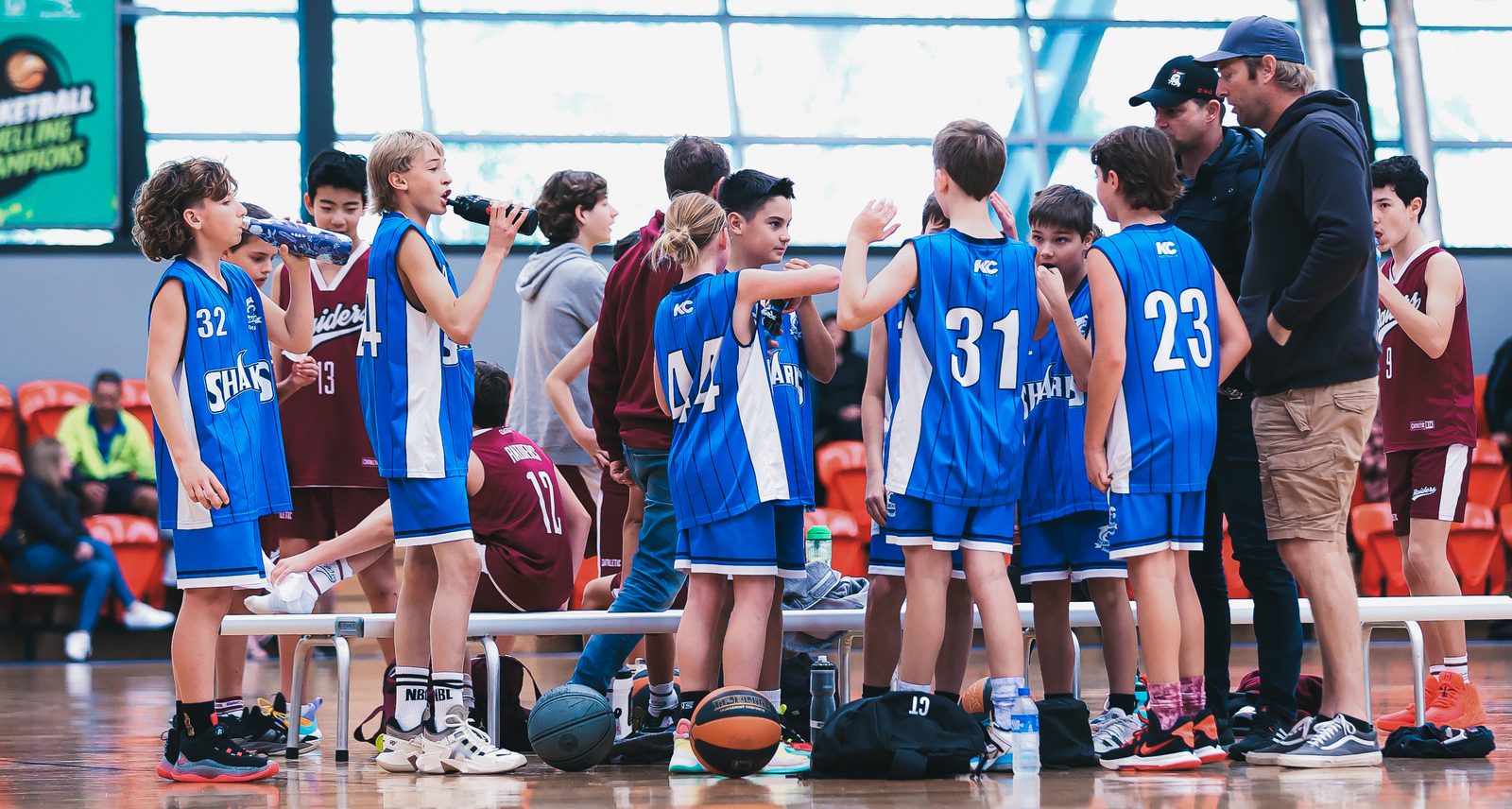
Managing a team
Team managers keep the season running smoothly — the link between the club, the coach and the parents. It's a shared, manageable role: mostly a few minutes each week on PlayHQ and keeping your team in the loop. You don't need to be a basketball expert.
Your season checklist
- Be the contact point between the club, coach and parents
- Set up a team communication app (WhatsApp, Heja, Team App, TeamSnap or SportsYou)
- Confirm weekly game times & venues on PlayHQ
- Load player numbers in PlayHQ before each game
- Roster a parent scorer for every game
- Submit a forfeit early if you can't field a team
- Return the team bag, clean and complete, at season's end
Team bag
Each team receives a bag at the start of the season with a singlet set, two basketballs and Player of the Week vouchers. Remove personal items and return everything clean at season's end — singlets folded in numeric order. Unreturned or damaged items may mean losing the team wind-up gift card, or a fine.
Team communication
Set up one channel for your team's parents and keep all game-day updates there. Common choices are WhatsApp, Heja, Team App, TeamSnap and SportsYou.
Running the scorebench
Parents take turns running the scorebench each game — it's easier than it looks, and there are guides to help.
- Each team provides a scorer every game
- Use PlayHQ electronic scoring where available
- Watch the possession arrow and apply the mercy rule
- No zone defence for U10, U12 and U14; special rules apply for U10 and U12
PlayHQ app
Download the free PlayHQ app to find your team, check fixtures and results, and follow the ladder.
Game day essentials
What to bring
Club singlet, shorts, court shoes, a water bottle, and a positive attitude.
Fixtures & results
All games are on PlayHQ — check times, venues and ladders any time. Or use the free MyHoops app for live scores, stats, fixtures and ladders on your phone.
View fixtures →Get MyHoops →How grading works →How the ladder works →All FAQs →
Code of conduct
Respect teammates, opponents, officials and coaches — on and off the court.
KidSport vouchers
Eligible WA families can put a KidSport voucher toward registration. Apply for and receive your voucher before you register on PlayHQ — it can't be reimbursed by the club afterwards.
Score duty
Every family shares the scorebench over the season — your team manager will roster you on. It's straightforward, and the rules links on this page will help.
Frequently asked questions
The questions we're asked most. Tap any question to see the answer.
When does the season run, and which competition do we play in?
The Sharks play the Winter season of the Perry Lakes Hawks Junior Basketball Competition — broadly across school Terms 2 and 3. Exact start and finish dates are published on PlayHQ each season.
Do the Sharks play summer basketball?
At the moment the club runs a Winter season only. Adding a summer competition takes more volunteers behind the scenes, which is the main reason we haven't offered it yet. The good news: the committee is considering a summer season for 2027/2028 — but we'll need volunteers to help get it going. If you'd be keen to lend a hand, get in touch. Stay tuned!
How do we register, and what does it cost?
Registration is online through PlayHQ — start from our Register page. Fees are set each season and shown during registration; they cover competition team-entry fees, training court hire, player insurance and the club's running costs. Eligible WA families can put a KidSport voucher (a WA Government DLGSC program) toward the fee — apply for and receive the voucher before you register, as it can't be reimbursed by the club afterwards.
How are player fees set by the club?
A season fee looks like a big number, but it covers a whole season — and much of it isn't the club's to keep. The fee brings together Basketball WA registration and player insurance, the Perry Lakes Hawks competition costs (venue and court hire, referees and running the competition), and the club's own component — weekly training court hire, coach development, equipment and trophies. Scarborough is a volunteer-run, not-for-profit club and keeps its own part as low as it can. Uniform: the club provides your playing singlet; the main extra is your shorts, bought through the club store (current prices are on the store page). Eligible families can also put a KidSport voucher toward the cost — check the current amount and eligibility on the KidSport for parents page.
How do I register a whole new team, not just an individual?
PlayHQ registers players individually, so you can't sign up a whole team in one go yourself. If you have a group who want to play together as a new team, contact the club first — email registrar@scarboroughsharks.asn.au with the players' names, the age group, and a nominated coach — every team needs a coach to be entered. The club nominates the team into the Perry Lakes Hawks competition, and once it's set up each player registers individually through PlayHQ and is allocated to that team. Get in touch as early as you can before the season — team nominations close ahead of registration, and age groups and grades fill up.
How are age groups decided?
Age groups run in two-year bands — U8, U10, U12, U14, U16, U18. As a general rule, your child plays in an age group they are under as at 30 June of that season. For example, to play U12 a player must be under 12 on 30 June that year. Because it's based on age on that date, two children born in the same year can sometimes fall into different groups depending on their birthday. The current groups are shown on the Register page and on PlayHQ — if you're not sure which group your child fits, ask us and we'll help.
My child has never played — can they still join?
Absolutely — we welcome players of all levels, from complete beginners up. Teams are sorted into divisions by skill through the grading rounds (below), so kids play others at a similar level. Get in touch early in the season and we'll point you to any come-and-try sessions.
Where are training and games held?
Training is at Karrinyup Sports Centre. Games are played at Bendat Basketball Centre (Floreat) and Lords Recreation Centre (Subiaco), the main Perry Lakes Hawks venues. Your training night and game venues come from your team manager once teams are set.
What day and time are games — and can they change?
As a general guide, the younger age groups play Saturday mornings, working through to U14 on Saturday afternoons, while U16 and U18 usually play Friday nights — all subject to the season's schedule. The exact day, time and venue depend on your age group and division and are published on PlayHQ (and the free MyHoops app). The competition sets the draw, so the club generally can't change individual game times — a request can sometimes be made, but it can't be guaranteed.
What uniform do we need, and where do we get it?
The club provides the playing singlet. Players buy their own shorts through our store, plus court shoes, a drink bottle and — recommended — a mouthguard.
What size ball does my child use?
Ball size is set by the competition and depends on age — and, at the older ages, gender:
Size 5 — Under 8, Under 10 and Under 12.
Size 6 — Under 14 (boys and girls), and Under 16 & Under 18 girls.
Size 7 — Under 16 and Under 18 boys.
Having the right size to practise with at home helps a lot — sports stores sell basketballs by these sizes.
Can my child play for more than one club or team?
Domestic: a player can register with only one domestic club per season (a Perry Lakes Hawks by-law) — so your child can't play domestic for two clubs at once. Moving clubs needs a clearance from your current club, so talk to us if you're joining the Sharks from elsewhere (or moving on).
WABL is separate. Playing WABL (representative basketball) for Perry Lakes Hawks as well as a Sharks domestic team is fine and common — it's a different competition. There is, though, a limit on how many WABL players can be in one domestic team (a points-based cap set by the competition), so teams can't be stacked with representative players.
How does grading work — why don't the first rounds seem to count?
When the club nominates a team, we place it in the division we believe best suits the team's skill level. Because teams change from year to year — players move on, age up or develop — that first placement isn't always spot on, so the competition (Perry Lakes Hawks) uses grading rounds to fine-tune it.
- The first four rounds are grading rounds. They're used to check each team is in the right division, and teams may be moved up or down a grade during this time so games are fair and even.
- Ladders reset at the start of Round 5. That's the official start of the regular season — so results from the grading rounds do not count toward the final ladder or finals. (Ladders reset even in age groups that have only one division.)
- Regrade requests go through the club. If you think your team is in the wrong division, let your team manager or the club know. Only the club committee can submit a regrade request to the competition — individual teams can't — and there's a cut-off around Round 3. The club can ask for a team to move up or down.
Regrading is decided by the competition, not the club, and a request doesn't guarantee a move — sometimes a team turns out to be correctly graded once other teams shift around it. The aim is a fair, competitive season for every team.
How is the ladder worked out? We've played more games but sit lower.
Teams are ranked on a ratio, not on total wins. Because of that, playing more games does not push you up the ladder on its own — winning a higher proportion of the games you play does. Positions are worked out in this order:
- Match Ratio (MR) — the main ranking. It's the percentage of your played games that you've won. A team that has played fewer games can still sit above one that has played more, if its win ratio is higher.
- Head-to-head — if two teams finish on the same Match Ratio, the team that won when those two sides played each other is placed higher.
- Percentage (%) — if teams are still level, it comes down to points: total points scored for, divided by total points scored against, multiplied by 100.
This is why a team can just miss the finals on percentage even when teams above them have played an extra game — the extra game only helps if it improves the ratio. The ladder rules are set by the competition (Perry Lakes Hawks), not by the club, so we can't change how positions are calculated.
Is my child eligible to play finals?
To play finals for a team, a player must have played at least five qualifying games for that team during the season. Qualifying games are regular-season rounds — the grading rounds (before the ladder resets) and byes don't count toward the five. This is a Perry Lakes Hawks by-law (By-Law 10), not a club rule, so it can't be waived. If you're not sure whether your child has reached five games, check their record on PlayHQ or ask your team manager well before finals — a late fill-in who hasn't played five qualifying games can't play finals.
What if our team can't field enough players?
First, talk to your team manager — sometimes a fill-in can be arranged. If the team genuinely can't play, the club lodges a forfeit with the games controller and the opposition. There are notice deadlines and fees set by the competition, so the earlier we know, the better. See the Forfeits page for how it works.
Do parents and guardians have to help at games?
Yes — running the scorebench is shared by all families across the season, and your team manager will roster you on. It's straightforward, and the scoring links on this page walk you through it. Coaching and team managing are also volunteer roles: the club runs entirely on parent and guardian volunteers.
Do coaches and volunteers need a Working with Children Check?
Yes. Anyone coaching or in a role working with the children needs a current Working with Children Check, as required under WA's Working with Children (Criminal Record Checking) Act 2004 — unless they're a parent or guardian of a child in that team, who are exempt. The club can point you to how to apply.
Who do I contact with a question?
Start with your team's coach or manager for anything team-related. For club matters, the committee is on the Contact page. We're all volunteers, so a little patience is appreciated — but we're always happy to help.